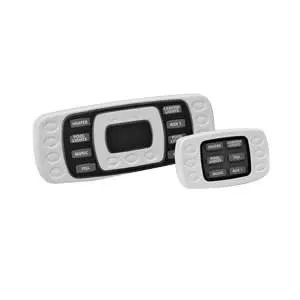
Hayward AQL-SS-6B-W Wired 6-Button Spa-Side Remote (White) for ProLogic & AquaPlus
The Hayward AQL-SS-6B-W is a wired, waterproof spa-side remote that gives you convenient control of your
pool/spa functions from the waters edge. It connects to compatible Hayward/Goldline automation systems and lets you operate up to
6 functions, adjust heater temperature, and view spa/air temperature right from the spa area.
Key Features
- 6-button spa-side control for quick access to commonly used functions
- Compatible with ProLogic and AquaPlus pool/spa controls
- Double-insulated, waterproof design intended for installation at the waters edge
- 150 ft attached cable for flexible routing back to the main control panel
- Configurable buttons on supported systems (P-4 and PS systems with software v2.40+)
- Soft blue backlighting for easy visibility
Compatibility Notes
- Works with all ProLogic P-4 and ProLogic PS versions (AQL-SS-6B-x family)
- Works with all AquaPlus systems
- Button assignment is configurable on P-4 and PS systems running software v2.40 or later
- On older software versions, the remote can operate but may have fixed (non-configurable) button behavior
Typical Installation
- Commonly installed at the spa tile line or in the deck, within arms reach of a spa occupant
- Installs into a PVC receptacle/conduit per the installation instructions for a clean, serviceable finish
- Wiring connects to the automation panel remote/terminal connection (per system manual)
Whats Included
- (1) Spa-side remote keypad (white)
- Attached 150 ft cable
Great For Controlling
- Spa mode, jets/aux outputs, blower, lights, water features (as assigned in your automation configuration)
- Heater setpoint adjustments and quick temperature checks
Related Products
- Hayward AQL-SS-6B-W (search)
- Hayward AQL-SS-6B (all colors/variants) (search)
- Hayward ProLogic Parts (search)
- Hayward AquaPlus Parts (search)
- Spa-Side Remote Installation Accessories (search)
Maintenance Tips
- If buttons become intermittent, inspect the cable routing for pinches, staples, or tight bends and confirm terminal connections are secure.
- Keep deck penetrations properly sealed to reduce water intrusion into conduit and wiring paths.
- When troubleshooting, verify automation software version and remote configuration first before replacing hardware.