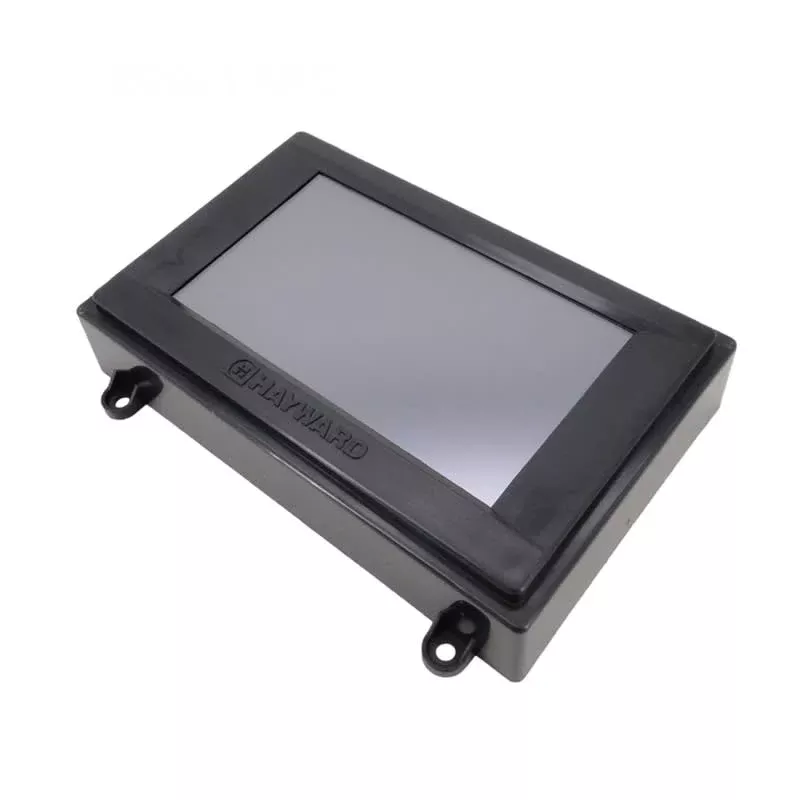
Hayward HLX-LCD Replacement LCD (Touchscreen) – OmniLogic / OmniPL / OmniHub (LCD Only, No Main Processor)
The Hayward HLX-LCD is a genuine OEM replacement LCD touchscreen for select Hayward automation systems. This part is the LCD only (without the Main System Processor), used to restore a clear, responsive user interface when the existing screen is cracked, unresponsive, dim, or failing.
Fits / Compatibility
- Hayward OmniLogic automation systems
- Hayward OmniPL automation systems
- Hayward OmniHub smart pool & spa control
Important fit note: Hayward also offers a newer-revision replacement LCD for systems manufactured on or after May 11, 2020 (often listed as HLX-LCD0520). Confirm your system’s manufacturing date/revision and parts diagram before ordering.
What This Part Is (and Isn’t)
- Is: Replacement LCD touchscreen module (LCD w/o MSP)
- Is not: The complete local display assembly. If you need the entire display (including the LCD), the full assemblyis commonly listed under a different part number (often HLX-LOC-DSP).
Common Reasons to Replace
- Touchscreen is unresponsive or registers incorrect touches
- Display is blank, flickering, or has lines/bleeding
- Cracked or damaged screen
- Intermittent display operation due to worn internal display components
What’s Included
- 1 replacement HLX-LCD touchscreen/LCD module (LCD only; no main processor)
Installation Notes
- Power off the automation system before service.
- Handle ribbon cables and connectors carefully; ensure connections are fully seated.
- After installation, restore power and verify the screen responds properly across the entire touch area.
- If the display issues persist after replacement, inspect the display board, cable connections, and power supply output.
Specs (Quick Reference)
- Part Number: HLX-LCD
- Part Type: Automation Parts
- Pool Type: In-Ground
- Warranty: 1-Year (Parts Only)
- Approx. Shipping Weight: 1 lb
Related Products
- Hayward HLX-LCD (search)
- Hayward HLX-LCD0520 Replacement LCD (Mfg 05/11/2020+) (search)
- Hayward HLX-LOC-DSP Complete Local Display Assembly (search)
- Hayward OmniLogic Parts (search)
- Hayward OmniPL Parts (search)
- Hayward OmniHub Parts (search)
Maintenance Tips
- Keep the enclosure sealed and dry—moisture intrusion is a common cause of touchscreen/display issues.
- Use a soft cloth to clean the screen; avoid harsh chemicals that can haze the surface.
- If the screen becomes sluggish or intermittently unresponsive, check cable seating and power quality before repeated cycling.