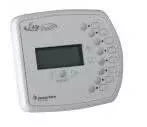
Pentair EasyTouch® Indoor Control Panel (Wired) for 8-Circuit Systems | 520549
The Pentair 520549 is a genuine wired indoor control panel for select Pentair EasyTouch automation systems with 8-circuit capability. It gives you convenient, inside-the-home control of common pool and spa functions through your existing EasyTouch power center—so you can turn equipment on/off, change modes, and adjust settings without going out to the equipment pad.
Key Features
- Indoor, wired convenience: mount inside the house for quick access to pool/spa controls.
- Designed for 8-circuit EasyTouch systems: intended for EasyTouch configurations that support 8 circuits (verify your model).
- Controls multiple features: commonly used for pumps, heaters, lights, water features, spa mode, and auxiliary circuits (system configuration dependent).
- Cleaner installs: avoids relying on wireless signal strength—communication is through a dedicated wired connection.
- OEM Pentair part: correct fit and interface for compatible EasyTouch systems.
Compatibility
- Fits: Pentair EasyTouch automation systems for 8-circuit applications where part 520549 is specified.
- Tip: Confirm your EasyTouch model (and circuit count) before ordering. EasyTouch indoor panels are model-specific.
Common Reasons to Replace or Add
- Add indoor control access for daily operation of pool/spa features
- Replace a damaged, non-responsive, or unreadable indoor panel
- Upgrade an automation setup for easier control without using the outdoor panel
Installation Notes
- This is a wired control panel—installation typically requires running low-voltage communication wiring from the EasyTouch load center to the indoor mount location.
- Choose a dry, accessible location indoors and avoid areas exposed to moisture or condensation.
- Automation wiring should be performed by a qualified pool professional or electrician.
- After installation, verify proper communication and confirm circuits/labels match your EasyTouch programming.
Related Products
- Search Aqua Pool Supply for 520549
- EasyTouch 8 system parts & accessories
- EasyTouch indoor control panels
- ScreenLogic2 interface & accessories
- EasyTouch transformers & power accessories
- Pool automation accessories
Maintenance Tips
- Keep the panel clean and dry; avoid spray cleaners that can seep into the buttons or display.
- If the panel becomes unresponsive, inspect low-voltage wiring connections at the EasyTouch load center for looseness or corrosion.
- Label the wiring at both ends during installation—this makes future troubleshooting and upgrades much easier.
- For communication issues, confirm cable routing is away from high-voltage conductors and that all terminals are snug.